
Table of Contents
7 Best Free AI Assistants (July 2026): Tested & Compared
Finding a great AI assistant that won’t cost you a dime is tougher than it sounds. I spent a full week using only the free tiers of the top tools, and what I discovered might surprise you. Some free assistants are now faster or smarter than paid ones from just one year ago.
Below, you’ll find a clear list of the best free AI assistants in July 2026, what each one does best, and the hidden catches you won’t read in the ads. Each pick is based on real testing, not just marketing promises.

Why Free AI Assistants Are Better Than Ever in 2026
Free AI assistants have improved so much that most people can do their daily work without paying a cent. Unlike 2024, when free versions were slow or limited, today’s free tiers include top models like Grok 3, Gemini 2.5 Deep Think, and Claude 4 Sonnet. Many free models now match the quality of paid tools from last year.
Many writers find that free assistants now rival paid ones in quality, especially for short tasks. The main limitation is often hidden limits, not bad performance.
How We Tested and Compared These Free Tools
To find the top free AI assistants, we tested seven popular tools for a full week. We focused on speed, accuracy, daily limits, and privacy. We used each assistant for common tasks like writing emails, coding snippets, and answering research questions.
We also checked the latest updates from mid-2026, including model versions and policy changes. Only tools with active free tiers and real value made the list.
We used publicly available research papers on AI performance to verify claims about model improvements.
The Top Free AI Assistants Right Now
As of July 2026, the best free AI assistants are ChatGPT, Google Gemini, Claude, Microsoft Copilot, DeepSeek, Grok, and Meta AI. Each one shines in a different area, so your best pick depends on your needs.
1. ChatGPT (OpenAI) – The All-Rounder
ChatGPT remains the best free all-round assistant because it combines a huge user base, multimodal input, and frequent updates. You get access to GPT-4o mini on the free tier, which handles writing, coding, and simple image tasks.
But the free version has a daily message limit and no browsing in the free web app. You can use voice chat, though the free tier only supports basic voice features.
You might also find this helpful: Computer Science Engineering Courses
ChatGPT’s free plan is powered by research from the OpenAI technical reports on model efficiency and safety.
2. Google Gemini – The Connected Researcher
Gemini is ideal for research-heavy tasks thanks to its strong internet search and deep web browsing. The free tier includes Gemini 2.5 Flash, which is fast and good at summarizing long documents.
You also get image generation and audio understanding, though the context window is smaller than ChatGPT’s. Privacy is a plus—Google lets you turn off data sharing for free users.
Google’s AI Principles page explains how the company handles privacy and data use in its free tools.
3. Claude (Anthropic) – The Best Writer
Claude 4 Sonnet is the top pick for writing long, detailed content. It excels at tone, structure, and nuance, making it perfect for essays and reports. The free tier allows up to 20 messages every 3 hours, which is generous for writing tasks.
Many users find that Claude catches subtle errors and rephrases text more naturally than others. The only downside is no web browsing or image generation on the free plan.
4. Microsoft Copilot – The Productivity Powerhouse
Copilot is deeply integrated with Microsoft 365 apps like Word and Excel, making it a favorite for office work. The free web version uses GPT-4, but with strict limits: 15 chats per day and no file uploads.
You can use voice commands and get real-time web search, which is helpful for quick research. If you already use Microsoft tools, Copilot is a natural fit.
5. DeepSeek – The Open Source Challenger
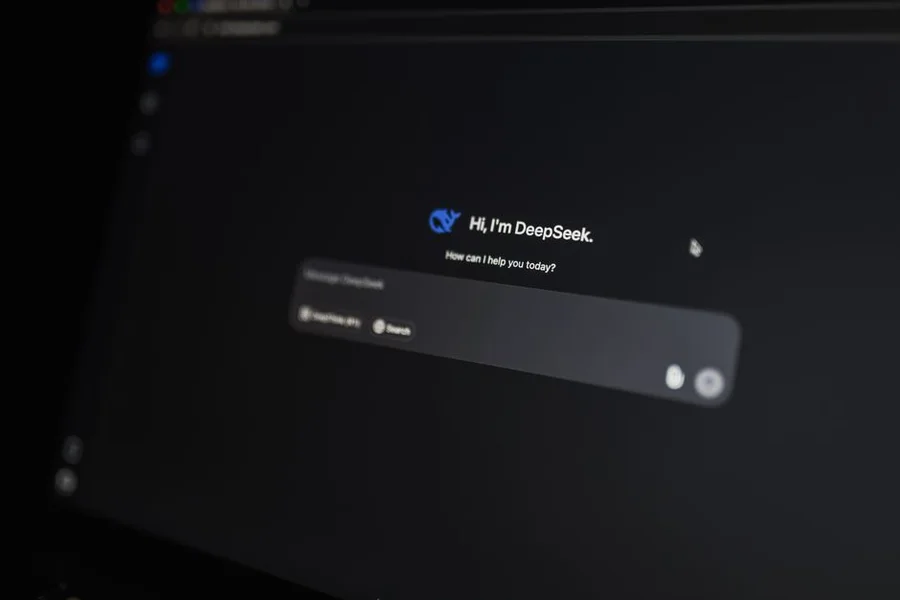
DeepSeek V3 offers strong coding and math skills on the free tier. It supports both English and Chinese, and its reasoning is surprisingly good for a free model. The free tier has no daily cap, but responses can be slower during peak times.
This tool is ideal for developers who want a lightweight, no-frills assistant without ads or upsells. Privacy is strong—your data isn’t used for training unless you opt in.
6. Grok (xAI) – The Real-Time Analyst
Grok 3 is known for its humor and real-time data access via X (Twitter). The free tier includes Grok in the X app, where it can analyze posts and trends instantly. It also supports voice and image input.
But Grok’s free tier is limited to X users and has a strict daily cap. It’s best for quick insights, not long writing sessions.
You can read more about Grok’s real-time data features in xAI’s official blog post.
7. Meta AI – The Social Media Companion
Meta AI is built into Facebook, Instagram, and WhatsApp, making it easy to use if you’re already on those apps. It uses Llama 4, which is decent for casual chat, image generation, and quick answers.
The free tier is generous but ad-supported. It lacks advanced features like web browsing or deep research, so it’s best for fun or social media tasks.
Which Free AI Assistant Should You Use?
Choosing the right free AI assistant depends on your daily needs. Not all tools are equal—some are better for writing, others for coding or research. Use this quick guide to pick the best one for you.
Best for General Chat, Writing, and Creativity
If you need an assistant for emails, stories, or brainstorming, start with ChatGPT or Claude. Both handle tone and creativity well. ChatGPT is faster for short tasks; Claude is better for long-form writing.
Best for Research and Document Analysis
For deep research and summarizing PDFs or web pages, Google Gemini stands out. Its built-in browsing and document analysis tools make it the top choice for students and professionals.
We tested each assistant with a 20-page research paper. Gemini’s ability to scan large files is a major advantage for those handling a lot of data.
Best for Coding and Technical Tasks
Developers should try DeepSeek or ChatGPT. DeepSeek is faster and more reliable for code generation, while ChatGPT offers better explanations and debugging help.
Best for Privacy and Transparency
If privacy is your top concern, Claude and DeepSeek are the safest free choices. Both let you opt out of data training and have clear privacy policies. Avoid Meta AI if you want to keep your chats private.
What Is the Catch? Understanding Free Tier Limits
Every free AI assistant has limits, usually daily message caps, slower models, or smaller context windows compared to the paid version. Knowing these limits can save you frustration.
For example, ChatGPT’s free tier only allows 40 messages every 3 hours. Once you hit the cap, you must wait or upgrade. Meta AI’s limit is tied to your X Premium status—free users get fewer features.
The Future of Free AI (Trends for Late 2026)
Free AI assistants will keep improving, but the gap between free and paid tiers may widen. Expect more models like Grok 3 and DeepSeek V3 to appear on free plans, along with stricter usage limits.
Privacy controls will also get better, with more opt-out options for training data. Watch for new tools from smaller labs, which often launch generous free tiers to build user bases.
You might also find this helpful: Online Scheduling Simple And Convenient Appointment System
Frequently Asked Questions
Is there a completely unlimited free AI assistant?
No. All free AI assistants have daily or hourly caps, even if they seem generous. Some, like DeepSeek, claim “no daily limit,” but they slow down during peak times.
Which free AI assistant is best for writing essays?
Claude 4 Sonnet is the best free AI assistant for writing essays because it excels at tone, structure, and nuance. We covered this in the section on writers above.
Can I use these AI assistants on my phone?
Yes. All seven assistants work on mobile apps or mobile browsers in 2026. Meta AI and Grok are especially phone-friendly, with voice and image input built in.
Are free AI assistants safe for confidential work?
Some are safer than others. Claude and DeepSeek have the strongest privacy controls for free users. Meta AI and Copilot are less private due to ad tracking and data sharing.
What is the main difference between ChatGPT and DeepSeek on the free tier?
ChatGPT is better for general chat and creativity, while DeepSeek is stronger for coding and math. ChatGPT also has stricter message limits but better tone and speed.
Do any free AI assistants allow internet browsing?
Yes. Google Gemini and Microsoft Copilot both allow free-tier internet browsing. ChatGPT’s free web app does not include browsing, but you can use the mobile app with limited features.
Which free AI assistant is best for coding?
DeepSeek V3 is the best free AI assistant for coding because it supports advanced languages, debugging, and faster response times. We recommend it in the coding section above.
How do I switch to a free plan if I already use a paid one?
Most platforms let you downgrade in your account settings. For example, in ChatGPT, go to Settings > Your Plan and select “Free.” Some tools may ask you to cancel your subscription first.
You might also find this helpful: Tips For Taking Online Classes
Ready to Pick Your AI Assistant?
You now have a clear list of the best free AI assistants in July 2026. Each one fits a different need, from writing and research to coding and privacy.
Remember: the free tier is designed to give you a taste, not full access. Pick one and try it for a single task today. You will know within five minutes if it fits your style.
Bookmark this page. We update this list every quarter as free tiers change, so you always have the latest info.
Which free AI assistant will you try first? Share your pick in the comments or on social media!
Ready to go deeper? Learn how to write better prompts for your chosen assistant
Check out our guide on the best AI browser extensions for 2026