
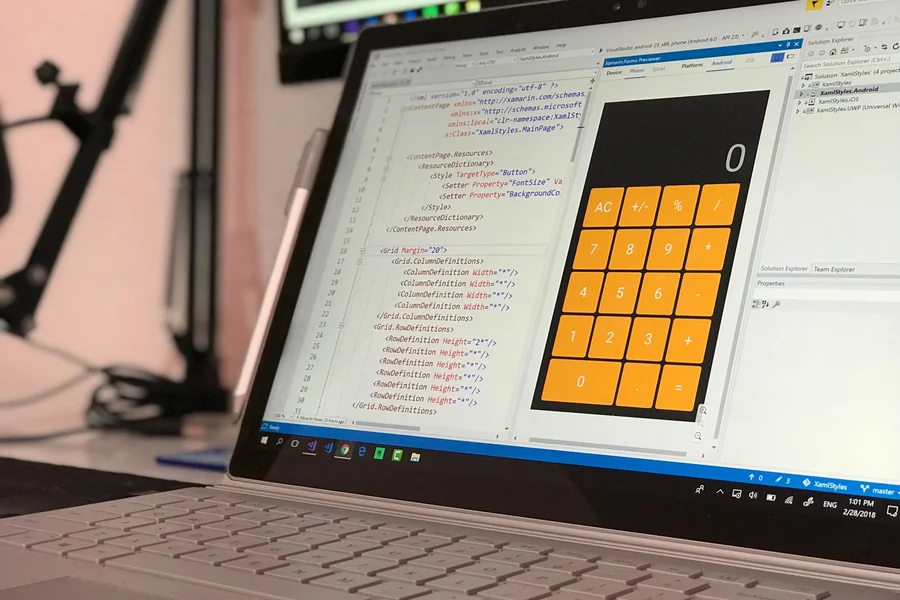
Learning how to build an ai app without coding lets entrepreneurs, designers, and non-programmers turn creative ideas into functional web and mobile products in days rather than months. Visual application builders and connected workflow services handle complex logic and database management through drag-and-drop interfaces.
Table of Contents
What Are the Best Visual Platforms for Building AI Apps in 2026?
The top no-code builders include Bubble, FlutterFlow, and Softr. Selecting the right foundation depends on whether you plan to launch a full-featured web SaaS platform, a native iOS and Android application, or a simple client dashboard.
According to a 2026 No-Code Industry Report by Zapier, over 84% of small startups build their first minimum viable product without writing a single line of backend code. Visual tools reduce development expenses while speeding up user testing cycles.
Bubble: Best for Full-Featured Web SaaS Products
Bubble provides visual database design, custom workflow logic, and native API connectors. You link external machine learning models to your frontend user accounts with simple click-to-configure settings.
From what we’ve seen, Bubble lets solo founders launch working AI micro-SaaS platforms in less than two weeks without developer hiring costs.
FlutterFlow: Best for Native Mobile Applications
FlutterFlow creates native mobile apps for iOS and Android with clean visual layouts. It features ready-made AI components that connect directly to language models for real-time text analysis and voice input.
If you want to review beginner coding setups, check out our guide on ai coding assistants for beginners to compare visual builders with code generation tools.

What Are the Step-by-Step Stages to Launch an AI App Without Code?
Building a successful application involves defining one specific user problem, structuring your database, connecting API keys, and linking automation platforms like Make or Zapier.
To prepare your general software toolstack first, read our guide on how to get started with ai tools today for account configuration advice.
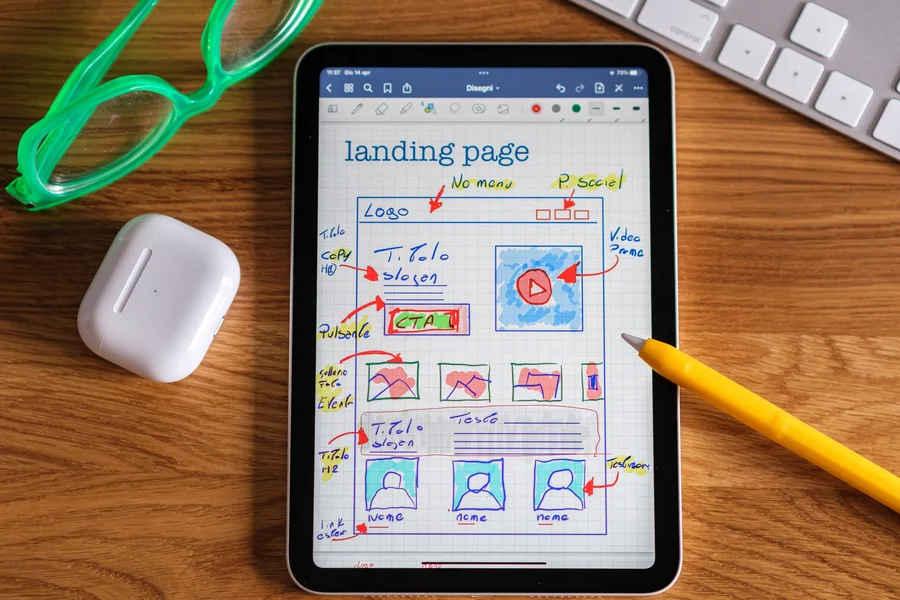
Step 1: Defining Your Core Problem and Target User
Start by identifying one clear bottleneck your application solves, such as summarizing long legal PDFs, generating social captions, or categorizing customer receipts. Focusing on one use case prevents complicated scope creep.
We’ve noticed that focused single-purpose tools gain initial user traction far faster than broad multi-feature applications.
Step 2: Connecting AI API Endpoints and Databases
Connect your visual frontend to an external API key or an embedded database like Airtable or Supabase. When a user submits a prompt in your app, the visual workflow sends that input to the AI model and displays the returned response on screen.
One thing most guides miss is setting strict rate limits on user generation requests to prevent unexpected API billing spikes during traffic surges.
How Do Creators Monetize and Scale No-Code AI Products?
Scaling a no-code product requires setting up recurring payment gateways, protecting your proprietary prompt instructions, and gathering active user feedback.
Integrating Stripe Subscriptions and Credit Tokens
Modern platforms link directly to Stripe checkout pages. You can charge monthly subscription fees or set up credit packages where users buy packs of generation tokens.
In practice, this looks like offering five free generations upon signup before prompting users to upgrade to a paid tier. One common mistake we see new builders make is launching without user analytics. This leaves you blind to drop-off points. Always track onboarding completion rates.
Protecting System Prompts and Output Quality
Keep your core system prompts hidden on the server side rather than exposing them in client-side scripts. Regularly test prompt variations to keep returned responses accurate as underlying models update.
We prefer collecting user ratings on generated outputs to spot hallucinations and refine system instructions weekly.
Frequently Asked Questions
Can you build a real AI app without knowing any code?
Yes, platforms like Bubble, FlutterFlow, and Softr let you design user interfaces, manage databases, and connect AI models visually without writing code.
How much does it cost to build a no-code AI application?
You can build an initial prototype for free or under $50 per month, covering your visual builder plan and initial API token usage.
Which no-code tool is easiest for complete beginners?
Softr is the easiest tool for beginners, offering pre-built templates that turn Airtable and Google Sheets databases into working web apps in hours.
Can no-code AI applications handle thousands of paying users?
Yes, platforms like Bubble and FlutterFlow scale to support thousands of active users by utilizing cloud hosting and dedicated database clusters.
Do I own the intellectual property of my no-code app?
Yes, you retain full ownership of your app branding, user database, custom workflows, and commercial revenue generated through the platform.
Conclusion: Start Building Your First AI Application
Understanding how to build an ai app without coding gives you the power to launch software products, validate business ideas, and build useful tools on your own terms. By choosing Bubble for web SaaS or FlutterFlow for mobile, connecting an AI model API, and testing your prototype with real users, you can go from concept to live launch quickly. Pick one tool today, build a simple prototype, and launch your application.

Written by Robert L. Campbell
Robert L. Campbell writes for people who just want good, honest content without all the extra noise. He’s been writing for a while now, covering all kinds of stuff, tech, business, lifestyle, personal growth, you name it. If it’s interesting, he’ll probably write about it.
Robert isn’t the type to stick to just one topic. Some days he’s talking about a new app or gadget, other days he’s sharing tips on getting your life together, or just writing about something random he learned recently. He keeps things simple and easy to read, no big fancy words, no boring lectures, just stuff that actually makes sense.
Outside of writing, Robert’s usually reading something, digging into a random topic he got curious about, or just figuring out what to write next.
His whole goal with this blog is pretty simple: give people content that’s actually worth their time, no matter what topic he’s covering that day.