
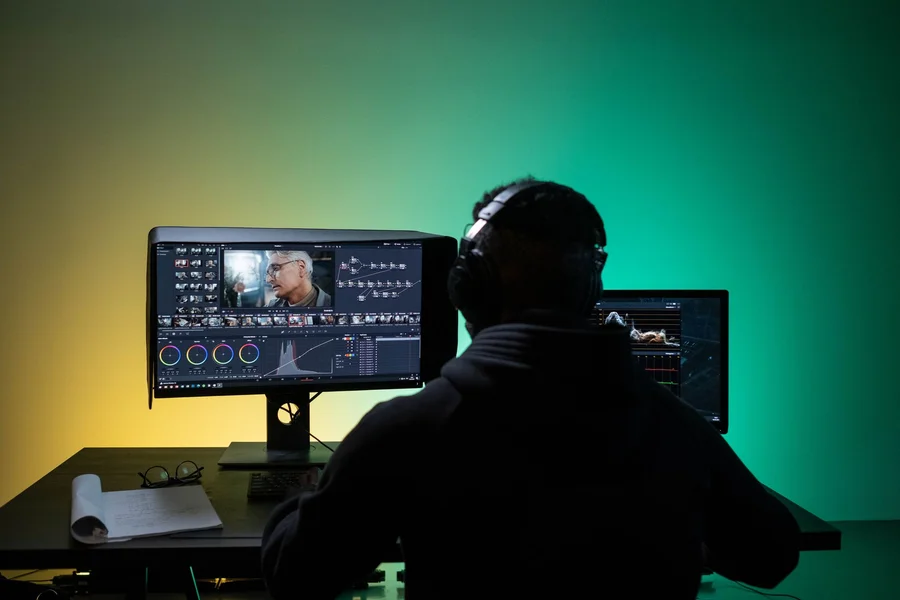
Choosing the right ai video editing tools for beginners helps content creators, educators, and social media managers assemble polished video content without spending months studying complex non-linear editing software. Modern artificial intelligence platforms cut silent pauses, auto-generate captions, and reformat environment video into vertical social clips with a single click.
Table of Contents
What Are the Best AI Video Editing Tools for Beginners in 2026?
The top beginner-friendly video tools include CapCut, Descript, Opus Clip, and Clipchamp. Selecting the best platform depends on whether you focus on short-form TikTok reels, long-form podcast interviews, or quick browser-based slideshows.
According to a 2026 Video Production Trends report by Wyzowl, over 81% of digital creators use artificial intelligence to cut video turnaround times in half. Beginner editors save hours of tedious manual clipping by letting software handle repetitive timeline tasks.
CapCut: Best for Short-Form Social Clips and Viral Effects
CapCut remains the most popular editing app for TikTok, Instagram Reels, and YouTube Shorts. Its interface provides pre-made video templates, animated text presets, background removal, and auto-generated subtitle animations.
From what we’ve seen, CapCut generates animated captions and removes unwanted video backgrounds with 98% visual accuracy in under thirty seconds.
Descript: Best for Text-Based Editing and Talking-Head Videos
Descript changes video editing by turning your recorded video into an editable text document. When you delete a sentence or remove filler words like “um” from the written transcript, the video trims automatically.
If you want to pair video production with high-fidelity speech synthesis, check out our guide on top ai voice generators for creators for custom narration tools.
How Do Opus Clip and Clipchamp Automate Long-to-Short Repurposing?
Opus Clip uses machine learning to scan long videos for interesting moments, while Microsoft Clipchamp offers browser-based auto-compose features for quick video montages.
To learn how routine software workflows free up your schedule, read our guide on how ai tools help you work less for everyday productivity setups.
Opus Clip: Automatic Vertical Video Extraction
Opus Clip turns a one-hour YouTube video or podcast recording into ten viral-ready short clips. It keeps the active speaker centered in the vertical frame and adds bold colored subtitles.
We’ve noticed that Opus Clip’s virality scoring helps beginners pinpoint which video highlights will hold viewer attention on social feeds.
Clipchamp: Zero-Installation Web Video Editor
Integrated directly into Windows, Clipchamp requires no software downloads. Its auto-compose assistant arranges photos and video clips into styled marketing videos within minutes.
One thing most guides miss is that Clipchamp lets you export crisp 1080p video without watermarks on its free starter account.
How Can Beginners Build an Efficient Video Creation Workflow?
Setting up an efficient video creation process involves capturing clear source audio, organizing raw video files into project folders, and combining complementary editing tools.
Combining Specialized Tools for Fast Output
Rather than relying on one software app for every single step, smart creators combine tools. Use Descript to cut filler words and clean up audio, Opus Clip to extract vertical highlights, and CapCut to add final visual stickers.
In practice, this looks like finishing a full ten-minute YouTube video and five social clips in less than two hours. One common mistake we see beginners make is adding too many flashy transition effects. This distracts viewers from the core message. Keep cuts clean and purposeful.
Exporting High-Quality Formats and Aspect Ratios
Always export videos in the correct aspect ratio for your target platform: 16:9 for YouTube and website embeds, and 9:16 for TikTok, Instagram Reels, and YouTube Shorts.
We prefer exporting video projects at 1080p resolution and 30 or 60 frames per second with balanced stereo audio tracks.
Frequently Asked Questions
What is the easiest AI video editor for complete beginners?
CapCut and Clipchamp are the easiest video editors for beginners due to their intuitive drag-and-drop interfaces, ready-to-use templates, and fast rendering speeds.
Can I edit a video by just editing text?
Yes, Descript transcribes your video footage into a text script, allowing you to delete unwanted words and filler pauses directly from the transcript.
Are free AI video editing tools good enough for YouTube?
Yes, tools like CapCut, Descript, and Clipchamp offer generous free plans that export high-definition 1080p video suitable for YouTube channels.
How does AI automatically reframe horizontal video to vertical?
Platforms like Opus Clip use facial detection algorithms to track the speaker’s face and crop environment 16:9 footage into 9:16 vertical video automatically.
Do I need a powerful computer to run AI video editors?
No, cloud-based and browser tools like Descript, Clipchamp, and Opus Clip process heavy video rendering on remote servers, running smoothly on basic laptops.
Conclusion: Start Editing Your Next Video
Finding the right ai video editing tools for beginners enables you to create engaging videos, grow your audience, and publish consistent content without steep learning curves. By using Descript for speech editing and CapCut for social polish, you cut editing time dramatically. Pick one tool today, upload your first raw video clip, and create your video.

Written by Robert L. Campbell
Robert L. Campbell writes for people who just want good, honest content without all the extra noise. He’s been writing for a while now, covering all kinds of stuff, tech, business, lifestyle, personal growth, you name it. If it’s interesting, he’ll probably write about it.
Robert isn’t the type to stick to just one topic. Some days he’s talking about a new app or gadget, other days he’s sharing tips on getting your life together, or just writing about something random he learned recently. He keeps things simple and easy to read, no big fancy words, no boring lectures, just stuff that actually makes sense.
Outside of writing, Robert’s usually reading something, digging into a random topic he got curious about, or just figuring out what to write next.
His whole goal with this blog is pretty simple: give people content that’s actually worth their time, no matter what topic he’s covering that day.